
Silence your phone.
The sound always comes back.
Silentum mutes everything — calls, messages and every notification — for 15 minutes, 30 minutes, 1 hour or 4 hours. One tap. Then it restores your sound automatically, exactly on time.
Genius-simple to use. Monumentally reliable when it matters.
Download for AndroidOne tap is the whole app
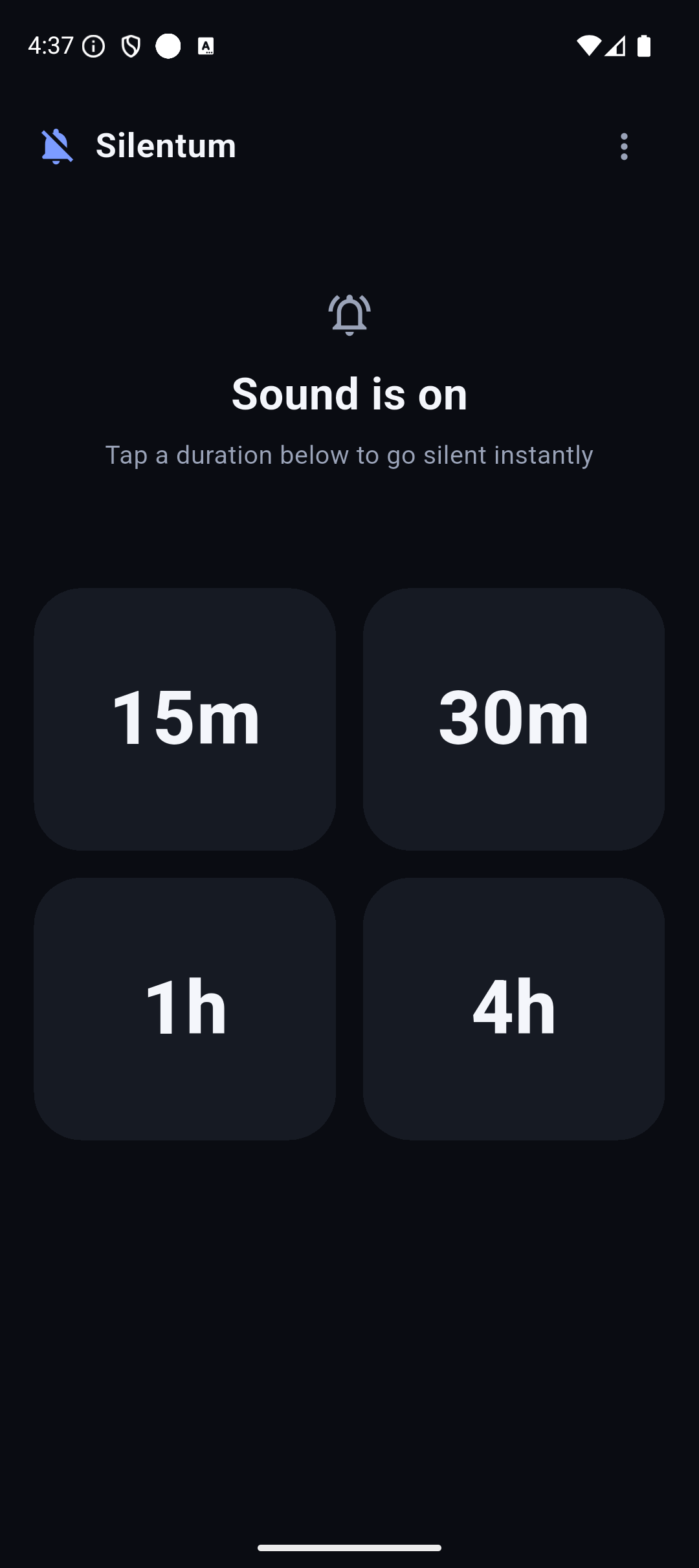
No dials, no pickers, no settings to learn. Open it, tap a duration, and your phone is quiet. Tap the same tile again to add more time.
Instant, single tap
Pick 15 min, 30 min, 1 hour or 4 hours and the phone goes silent immediately — no confirmation dialogs on the way.
Add time on the fly
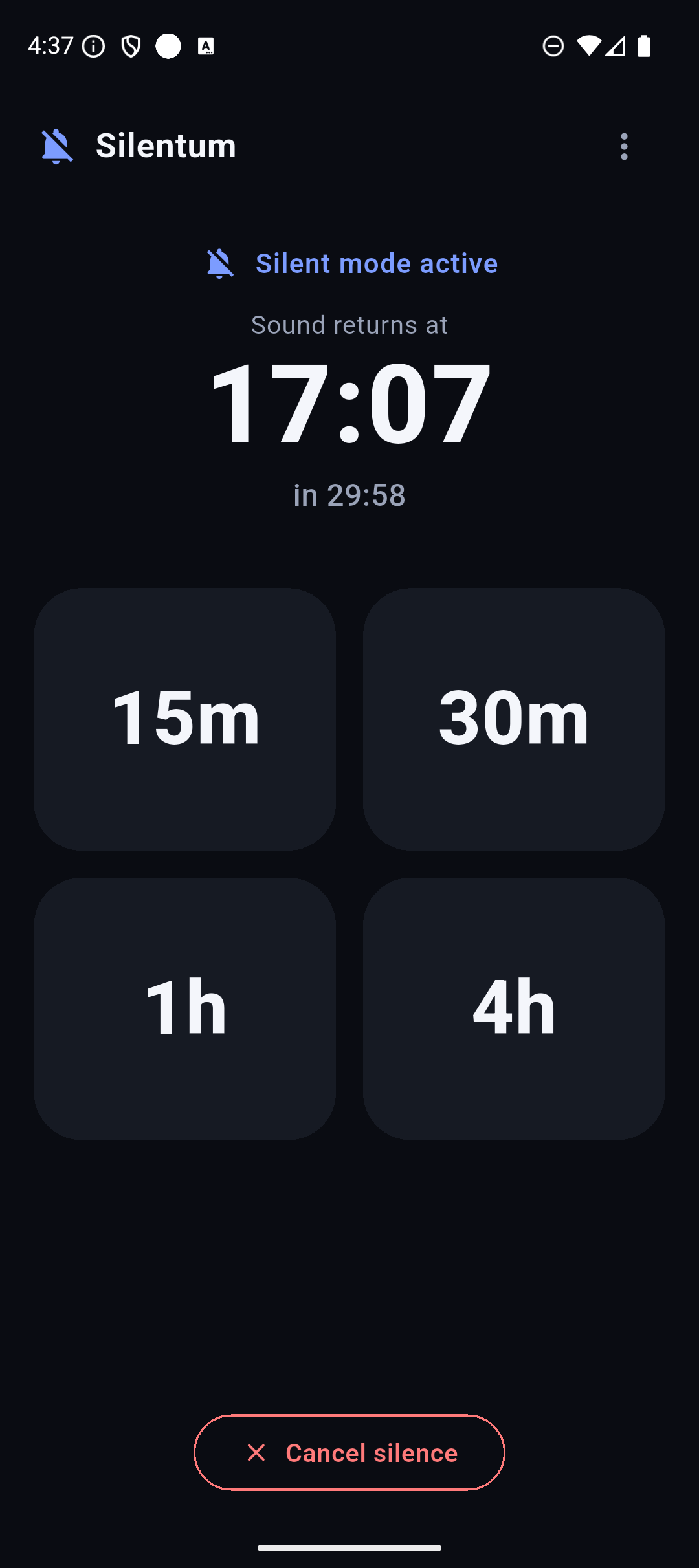
Already silent and the meeting runs long? Tap again — durations stack. 15m + 15m simply leaves 30 minutes remaining.
One button to undo
Need sound back early? A single "Restore sound" button cancels the session and clears everything in one motion.
Home-screen shortcuts
Long-press the icon for 15 min, 30 min, 1 hour and Restore — go quiet without even opening the app.
Silences everything at once
It drives the system Do Not Disturb, so calls, SMS and every messenger — Telegram, WhatsApp and the rest — go quiet together. No per-app setup.
Always knows the time
A clear "Sound returns at 14:35" readout plus a live countdown — you always know exactly when quiet ends.
Your sound comes back. No matter what.
A timer that sometimes forgets to un-mute is worse than no timer at all. So restoration is handled at the operating-system level — it does not depend on the app still running.
Nothing to hide — your data stays on your phone
Silentum is a utility, not a data pipeline. It is built to do one job and disappear.
No tracking, no data collection
Silentum never uploads your usage or personal data. It only goes online to check for app updates.
No accounts, no ads
No sign-up, no email, no advertising SDKs and no analytics. You open it and it just works.
One value on device
The only thing stored is a single restore-time timestamp, kept locally and deleted when the session ends.
How it works
Grant two permissions, once
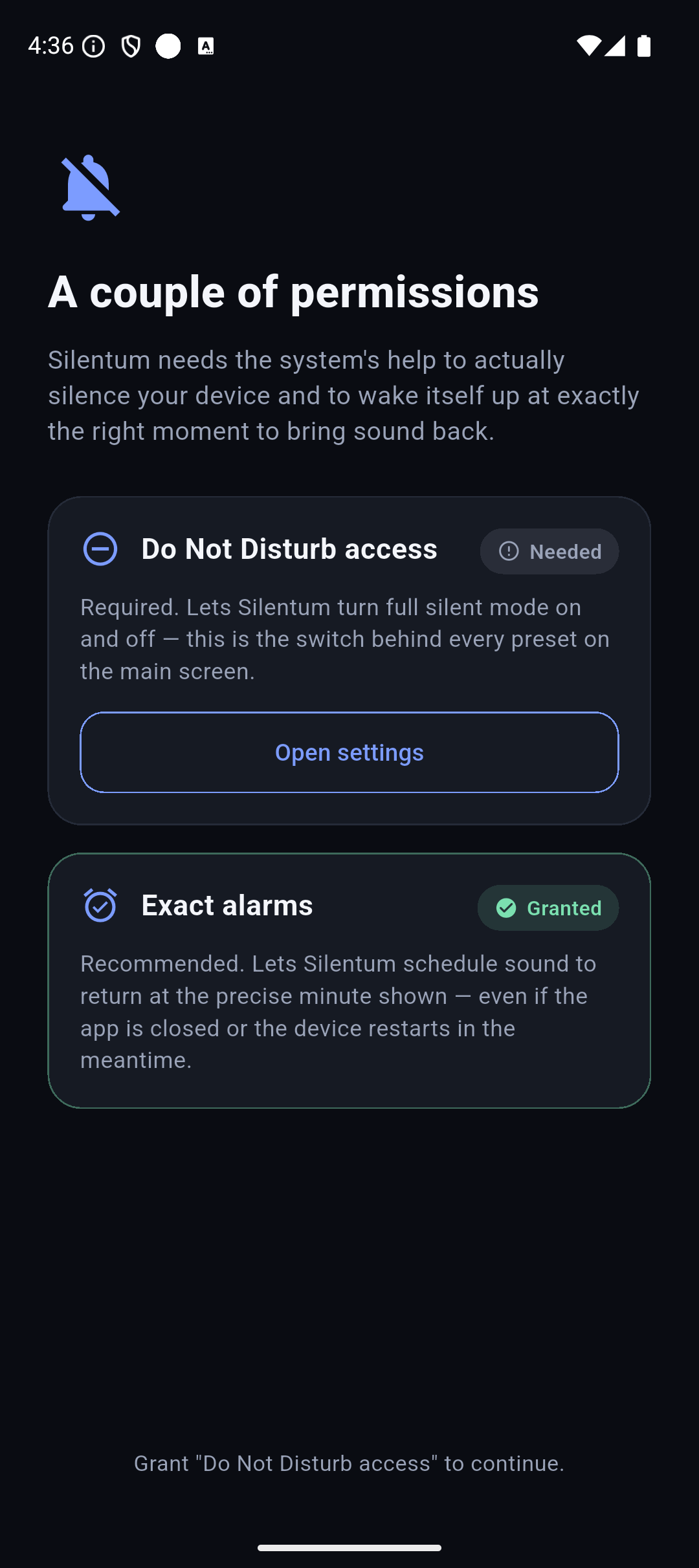
Do Not Disturb access and exact alarms — the screen explains each in plain language and links straight to the right settings page.
Tap a duration
15 minutes, 30 minutes, 1 hour or 4 hours. The phone goes silent instantly and shows when sound returns.
Forget about it
Go to your meeting, nap or film. Sound comes back on its own, exactly on time. You never have to remember.
Calm, dark, distraction-free
Large high-contrast type and instant tap feedback — designed for the few seconds before your phone needs to go quiet.
Frequently asked questions
Does Silentum really guarantee my sound comes back?
Yes — that is the whole point. Restoration is scheduled as an operating-system exact alarm, so the sound returns on time even if you close the app, lock or reboot the phone, or change the clock. The reliability guarantees are the reason the app exists.
What exactly does it silence?
It uses the system Do Not Disturb mode, so calls, SMS, messenger notifications (Telegram, WhatsApp and others) and every app's notification sounds are muted at once — with no per-app configuration.
Is it free? Any ads or tracking?
Completely free. No ads, no accounts, no analytics, no tracking. Silentum only goes online to check for app updates — your data never leaves your device. The only thing stored is one restore-time timestamp, kept locally.
Which permissions does it need, and why?
Do Not Disturb access, to turn silence on and off; and exact-alarm permission, to restore sound at the precise time you chose. It never reads your notifications, messages or contacts.
Can I pick a custom length?
There are four fixed presets — 15 min, 30 min, 1 hour, 4 hours — chosen so the whole interaction stays a single tap. Tap a tile again while active to extend: durations add up.
How do I install the APK?
Download the file, open it, and allow installs from this source if Android asks. The APK is signed by the developer. An official Google Play listing is on the way.
Predictable quiet, then your sound back
For meetings, naps, films and study — without ever forgetting to turn sound back on.
Download for Android